New · For home visits
Save every customer's door. Ride there with voice directions.
No more calling to ask the way. Save the spot once — from GPS at the door, a map pin or the location they sent on WhatsApp — and next time RootCue guides you turn by turn, in your language, on RootCue Maps.
English, தமிழ், हिन्दी voice · Bike, car & walk · Android, iPhone & web
Step 1
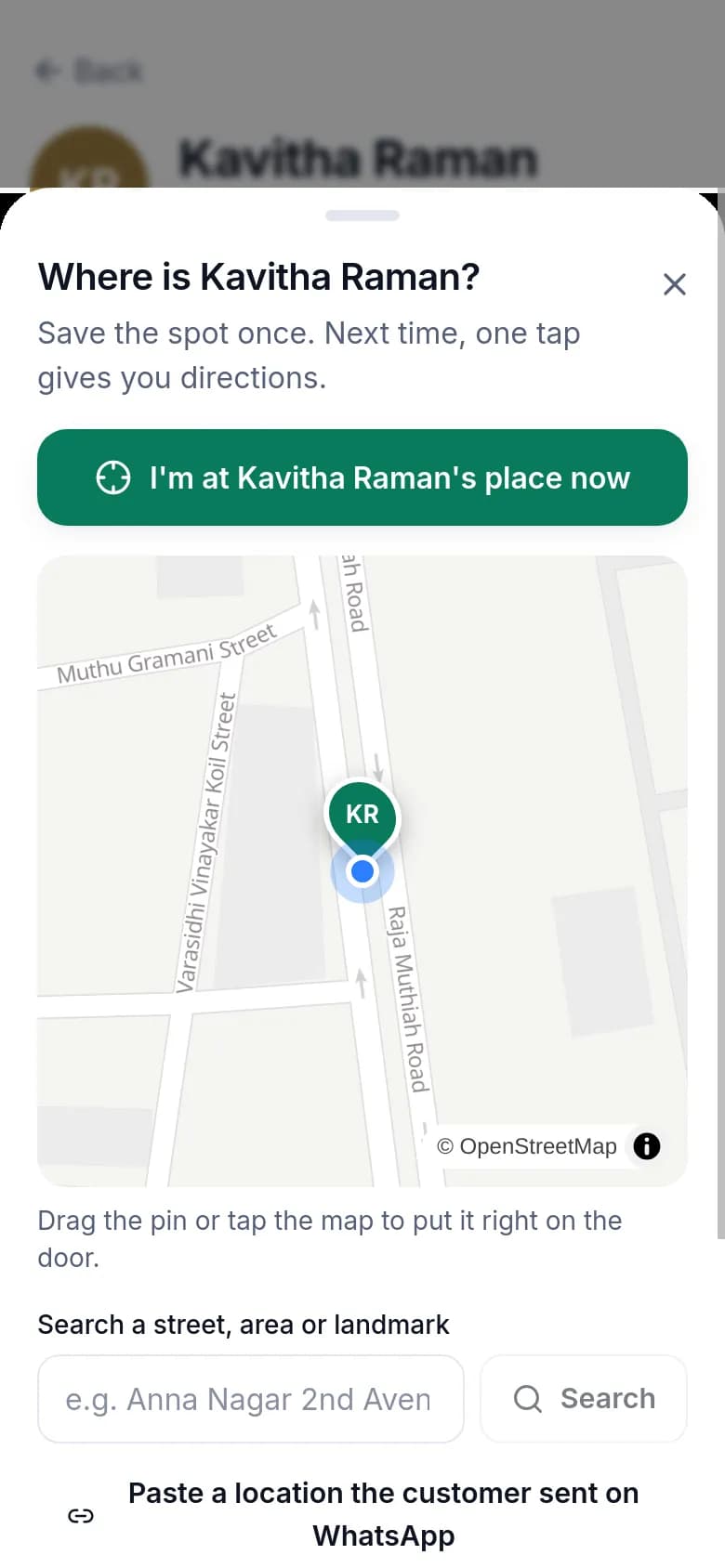
Four easy ways to save where a customer is
“I'm at their place now”
Standing at the door? One tap saves the exact spot from your phone's GPS — RootCue waits a few seconds for the best fix.
Drag the pin
Move the pin on RootCue Maps to the right house, gate or shop. Tap anywhere to drop it.
Search a street or landmark
“Anna Nagar 2nd Avenue”, “opposite Murugan temple” — pick the result and fine-tune.
Paste their WhatsApp location
Customer sent their location on WhatsApp or a Google Maps link? Paste it — RootCue reads the exact spot.
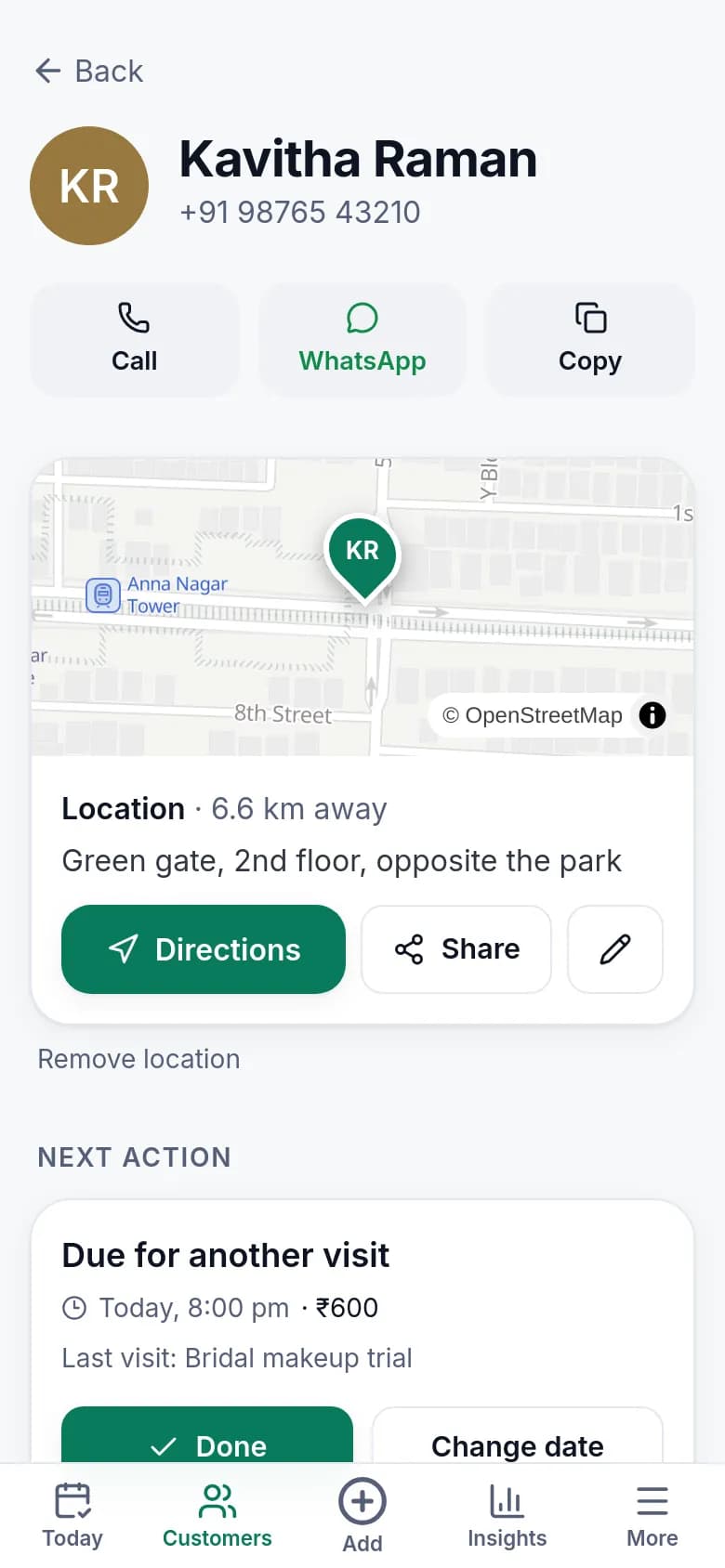
Add landmark words that matter at the door — “blue gate, 2nd floor, opposite the temple”. RootCue shows them on the customer's card and reads them out when you arrive.
Step 2
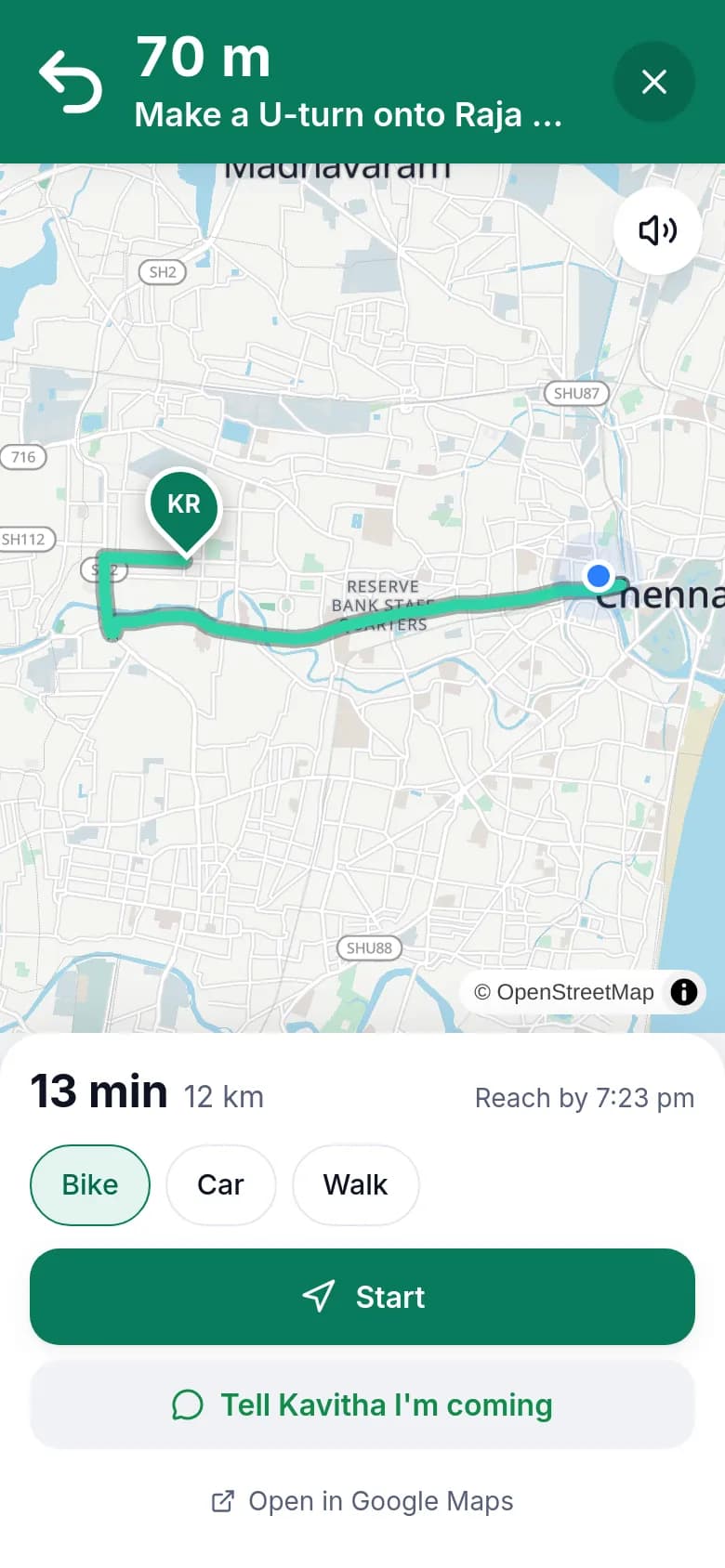
Tap Directions. RootCue gets you there.
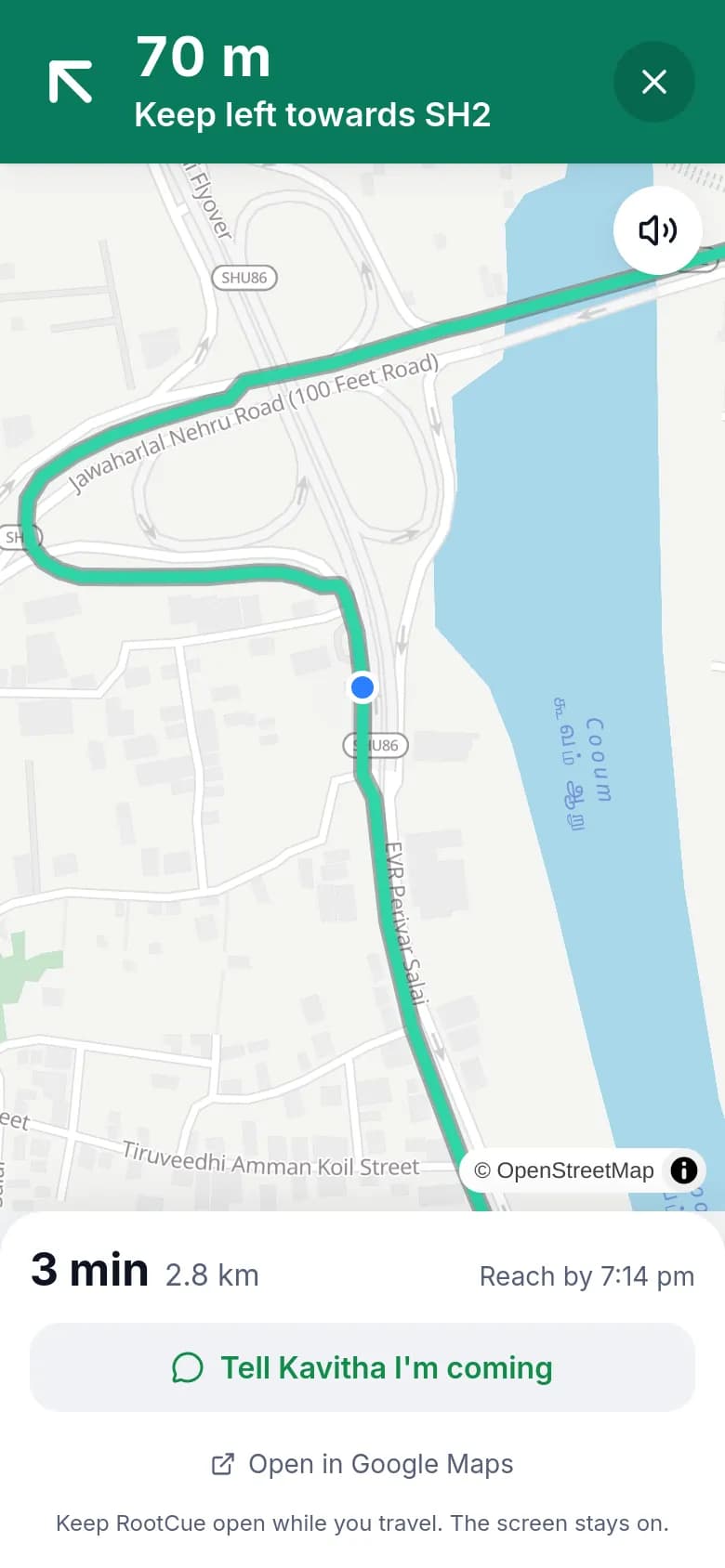
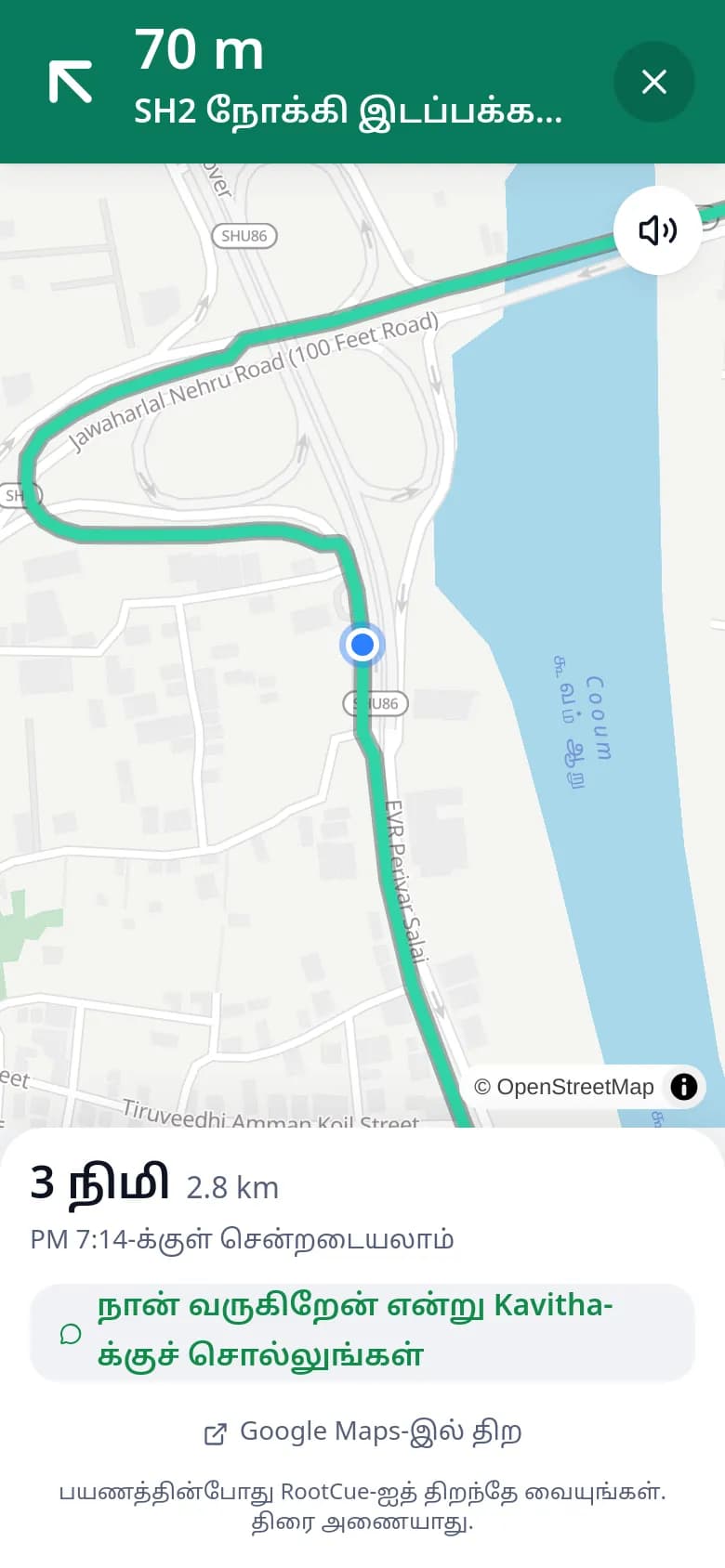
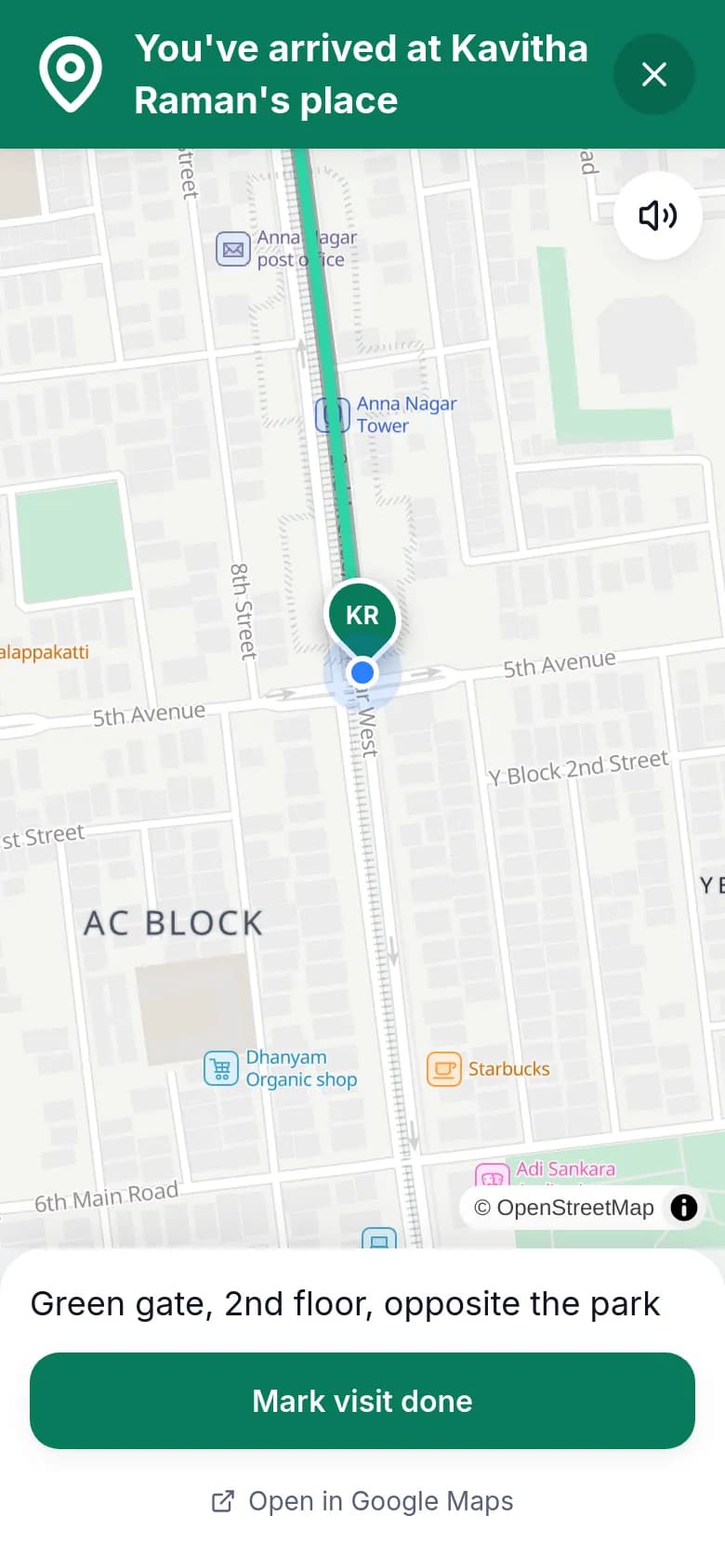
Turn-by-turn, spoken in your language
“In 300 metres, turn left onto Raja Muthiah Road.” Clear instructions in English, Tamil or Hindi, early enough to change lanes, again just before the turn.
Bike first
Routes for bike, car or walking — bike by default, because that's how most home services move in India.
“Tell Kavitha I'm coming”
One tap sends a WhatsApp message with your real arrival time: “I'll reach in about 13 minutes.” Customers love knowing.
Arrive, then tap Done
RootCue reads out the landmark — “green gate, 2nd floor” — and one tap marks the visit done and sets the next reminder.
Finds a new way if you turn off
Missed a turn or took a shortcut? RootCue notices and works out a fresh route without you touching the phone.
Google Maps is one tap away
Prefer Google Maps for a long trip? Every route has an “Open in Google Maps” button with the customer's spot filled in.
RootCue Maps
Our own map of India, made for doorsteps
RootCue Maps is built from OpenStreetMap and runs on RootCue's own servers — the map, the routes and the voice guidance. It's fast on everyday phones, shows streets and landmarks clearly in light and dark mode, and refreshes every month so new roads and colonies keep appearing.
Your customer's pin, your landmark notes and the reminder that brought you there all sit together — that's something a general map app can't do.
Made for businesses that go to the customer
- Home barbers & beauticians
- Bridal makeup artists
- Home tutors
- AC, RO & appliance repair
- Pest control
- Physiotherapists & nurses
- Tailors (pickup & delivery)
- Water-can & milk delivery
- Real-estate site visits
- Field sales
See how RootCue works for barbers, salons & beauticians, tutors and service & repair.
Questions
Does RootCue track my location all day?
No. RootCue only uses your location when you ask: saving a customer's spot, or while the directions screen is open. It never tracks you in the background and never shares your position with customers.
Who can see my customers' locations?
Only people in your RootCue team. Locations are stored with the customer record, included in your data export, and deleted with the customer.
Which map does RootCue use?
RootCue Maps — our own map of India built from OpenStreetMap, served from our servers and refreshed every month so new roads and places appear. Routes are calculated by RootCue too.
Which languages are the voice directions in?
English, Tamil and Hindi — the same language you use RootCue in. If your phone doesn't have a Tamil or Hindi voice installed yet, directions are spoken in English and RootCue tells you how to add the voice.
My customer sent their location on WhatsApp. Can I use it?
Yes. Copy the location link from WhatsApp (or Google Maps) and paste it in “Where is this customer?”. RootCue reads the exact point.
Does it work on iPhone?
Yes, in Safari or after adding RootCue to the Home Screen. Keep RootCue open while you travel; the screen stays on during directions.
Is it included in the free plan?
Yes. Saving locations, RootCue Maps and voice directions are part of every plan.
Stop calling to ask the way
Save your first customer's door today. Free, in English, தமிழ் and हिन्दी.