New · Alarm reminders
Customer reminders that ring like an alarm.
Follow-ups, payments due, repeat visits and renewals — RootCue rings gently until you tap Done or Snooze, so no customer is forgotten on a busy day. Switched on for every RootCue user, free.
Android, iPhone & web · English, தமிழ், हिन्दी · No card needed
Why an alarm works
Notifications get buried. Alarms don't.
On a busy day a normal notification slides away under twenty others. A RootCue alarm stays until you deal with it — and while RootCue is open it keeps ringing softly on screen.
Gentle first, firm only if needed
It starts quietly with RootCue's own “Cue” sound and grows over about 20 seconds — enough to notice in a noisy shop, never a jump scare.
One tap, then back to work
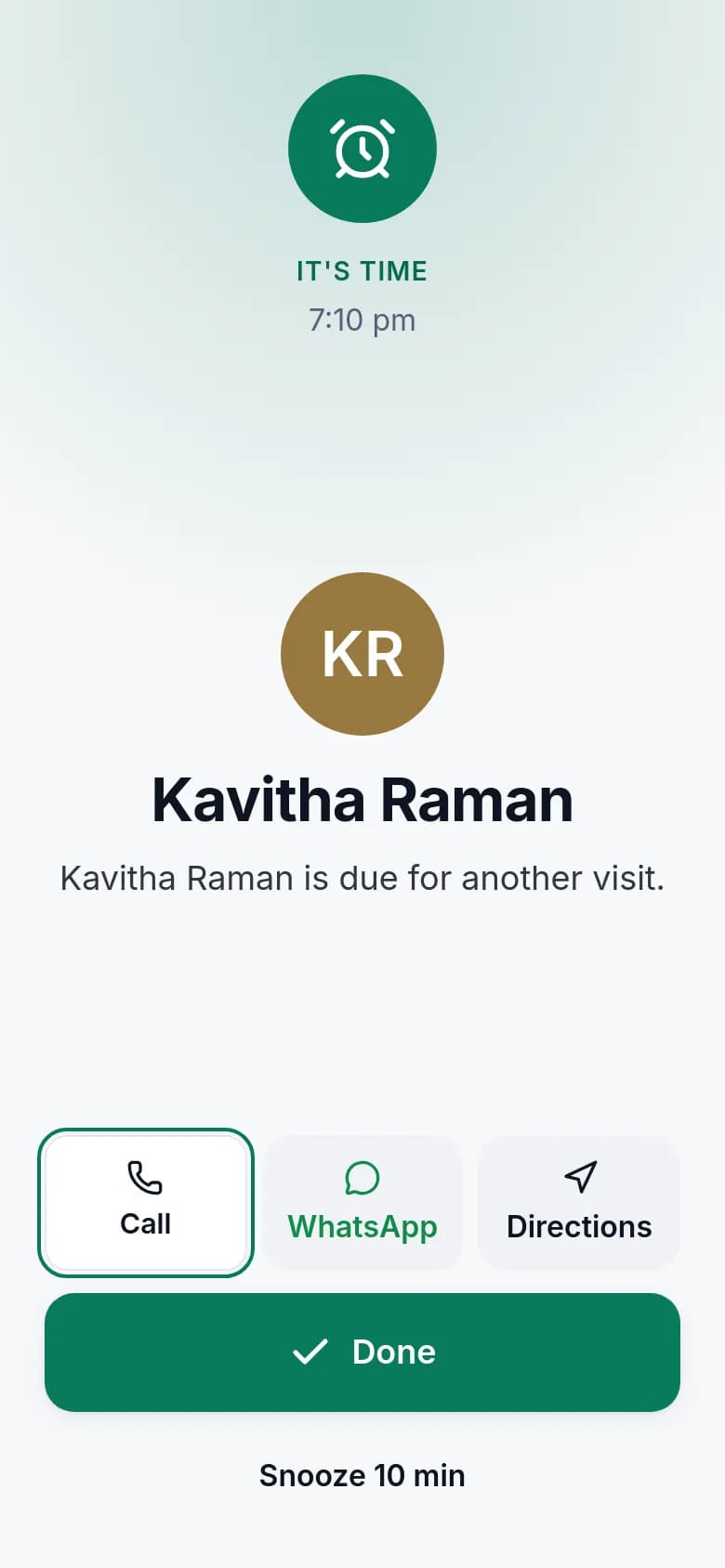
Done, Snooze 10 minutes, Call, WhatsApp or Directions — right on the alarm. Done and Snooze even work from the notification, without opening the app.
Respects your evenings
Quiet hours hold reminders until morning (they're delayed, never lost). You choose the sound, and the alarm can be switched off any time.
How it works
Set it once. RootCue remembers and rings.
- 1
Add a customer and when to follow up
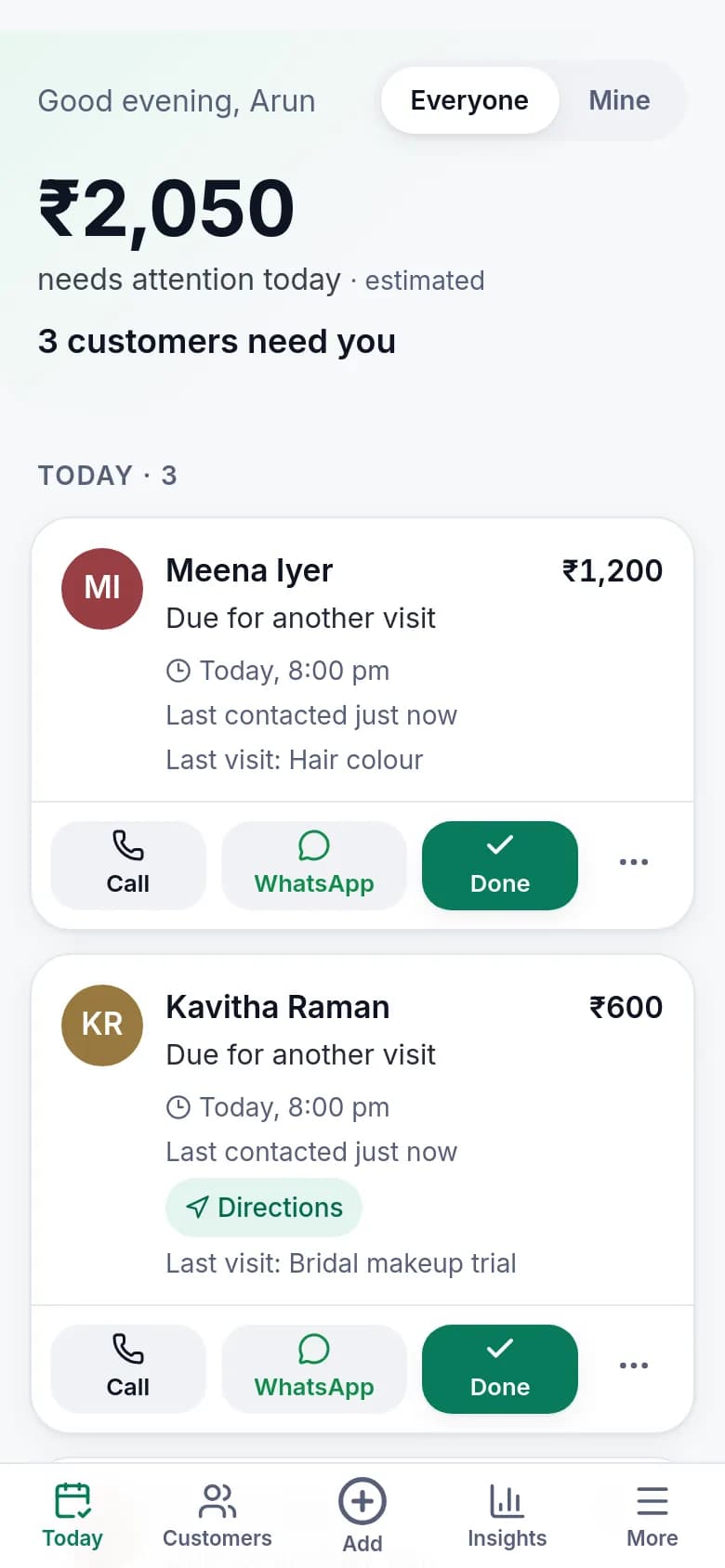
“Kavitha — bridal trial ₹600 — come back in 25 days.” RootCue schedules the reminder.
- 2
On the day, RootCue rings
Your phone shows who and why: “Kavitha Raman is due for another visit.” It keeps ringing until you answer it.
- 3
Tap Done — or Snooze 10 minutes
With a customer right now? Snooze, and it rings again in 10 minutes. Nothing slips through.
Works on the phone you already have
- Android: install the RootCue web app from Chrome (one tap) — reminders reach you even when it's closed.
- iPhone: Share → Add to Home Screen, then allow notifications.
- Computer: Chrome, Edge or Firefox keep the alarm on screen until you act.
Questions
Will RootCue ring when the app is closed?
Yes, once notifications are allowed. With RootCue closed, the reminder arrives with your phone's notification sound and a wake-up vibration, and stays until you tap Done or Snooze on it. With RootCue open, it rings full-screen and keeps ringing gently. On iPhone, add RootCue to your Home Screen first (Share → Add to Home Screen) — that's Apple's rule for web apps.
Can I turn the alarm off and get normal notifications?
Yes. In RootCue go to More → Notifications and switch off “Ring like an alarm”. Reminders still arrive as normal notifications.
Will it wake me up at night?
No. Quiet hours are on by default (9 pm to 8 am). Reminders due in quiet hours wait until the morning; they're never dropped.
What does Snooze do?
Snooze 10 min hides the reminder and rings again ten minutes later — useful when you're with a customer. You can also move a reminder to another day from the customer's card.
Can I test it?
Yes. More → Notifications → Test the alarm. It rings on screen straight away, and again a few seconds later on your phone so you can lock the screen and see exactly how it works.
Which sound does it play?
RootCue's own short “Cue” chime by default. You can pick Bell, Bloom or your phone's standard notification sound instead.
Is the alarm included in the free plan?
Yes. Alarms, reminders, WhatsApp messages and the Today list are part of every plan, including Free.
Never forget a customer again
Free to start. Your first reminder rings today.